Buying guide
Golf Swing Filming Setup: Angles, Height, and Gear
Build a repeatable phone-video routine with a safe camera position, a consistent view, and only the accessories you will use.
- 1pick
- 8.0top score
- 8min read
- Oct 14, 2026updated
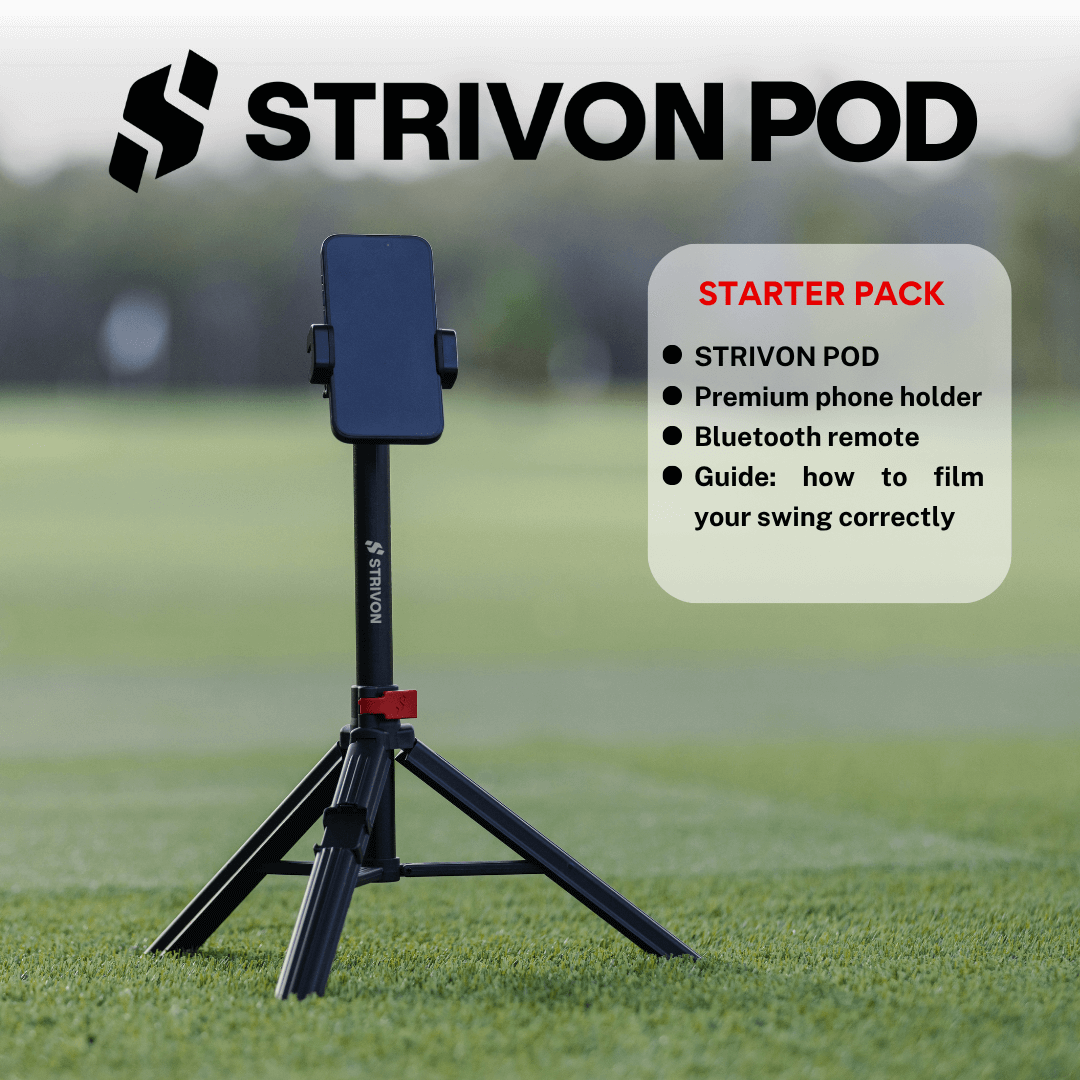 Purpose-built phone filming kit Strivon Pod Review: Starter vs Pro Pack 8.0GolfTested score
 The short answer
Our picks, and who each one is for
Purpose-built phone filming kit8.0score
Strivon Pod Review: Starter vs Pro Pack
A phone clamp, remote, and filming guide are included; the Pro pack adds a magnetic holder.
Best for Golfers or instructors who record phone video often and want the clamp, remote, and filming guide in one golf-focused kit.
Skip if You already own a stable phone tripod, only record occasionally, or expect the stand itself to analyze or improve your swing.
$79.00
Picks are ordered by fit, not by payout. Brand-direct prices show the date we checked them; Amazon prices change too often to print, so those links open the live listing. Buying through a link may earn GolfTested a commission and never changes a score.
This guide uses manufacturer bundle information and seller-hosted feedback summarized in the Strivon Pod review. We found no independent comparative tripod test and made no GolfTested hands-on measurements.
Phone video is most useful when the setup stays the same. A clear face-on or down-the-line view can make it easier to compare positions across practice sessions, but the camera will only answer the question you frame it to answer. Pick one purpose, set the phone safely, and record a short set of swings.
Start with the question
Choose the angle before choosing the tripod. A face-on view shows the motion from the target-line side of your body. A down-the-line view looks along the target line from behind you. These are different views; do not compare a face-on clip with a down-the-line clip and treat the difference as a swing change.
Frame your whole body and club through the movement. Keep the horizon level, allow space above the club, and avoid digital zoom if stepping back can give you a cleaner view. Repeat the same distance and lens height on later sessions. A strip of tape, alignment stick, or a landmark on the range can help you reset the camera position.
Make the setup stable and safe
Put the tripod on firm, reasonably level ground where it will not sit in another golfer’s stance, walking path, or ball flight. Do not place a phone where a club, cart, or practice ball can strike it. On a busy range, keep the session quick and ask before setting up around other players.
Check the clamp with your phone and case attached. A remote shutter is useful because it lets you start recording without walking back to touch the phone. If you record alone, use the remote to capture a small set, then review the clips between swings rather than filming the entire bucket.
When a dedicated kit helps
| Setup | Good fit when | Check before buying |
|---|---|---|
| Phone on a bag or cart | Occasional reference clips | It can slip, sit too low, or point at the wrong angle |
| Tripod you already own | The phone mount is secure and its height works | Clamp width, ground footprint, and remote control |
| Golf-specific filming stand | You record often and want a repeatable pack-and-go setup | Selected pack, phone fit, height range, weight, and what the remote does |
| Compact general-purpose tripod | Portability matters more than camera height | Maximum extension and stability at full height |
The Strivon Pod review covers the supplied Starter and Pro bundles. Starter lists a phone clamp, Bluetooth remote, and filming guide; Pro adds a magnetic holder. Its current product data listed the Starter at $79 on October 14, 2026. The linked review explains what could and could not be verified. For a direct model comparison, see Strivon Pod vs JOBY TelePod Mobile.
Review a clip without chasing noise
Record three or four swings with one club and one intention. Look for the same reference point in each clip, then compare only the movement you meant to practice. If a change looks important, get a coach’s view before rebuilding the swing around one camera angle. A phone tripod records; it does not interpret.
Frequently asked questions
What is the best angle to film a golf swing?
Use a face-on or down-the-line view depending on the question you are checking. Keep the camera position and framing consistent between clips so you compare like with like.
How high should the phone be?
There is no single correct height for every golfer or camera angle. Position the lens so the full movement stays in frame, then repeat that height for future clips.
Do I need a golf-specific tripod?
No. A stable phone tripod you already own may be enough. A golf-focused kit is useful when its clamp, remote, height adjustment, or packability fixes a real setup problem.
Should I record every shot?
Usually not. Record a small, deliberate set that answers one question. Too many clips make it harder to compare the same movement or focus a practice session.
Can video replace a golf lesson?
No. Video can help you inspect or share a movement, but it does not diagnose the cause of a miss or replace qualified instruction.